Jackery Explorer 5000 Plus: Battery Saving Mode and Usable Energy
VibePicks may earn a commission if you buy through links on this page, at no extra cost to you.
Battery Saving Mode on the US Jackery Explorer 5000 Plus changes the energy you should budget for a trip or an outage. Its 5,040Wh nameplate describes nominal battery capacity; it does not mean every setting makes all of that energy available to your appliances. A narrower charge window can leave substantially less energy between your chosen starting and stopping points.
The useful question is therefore: does your planned load fit the charge window you intend to use? This guide separates the manufacturer’s settings from an illustrative energy calculation. It is a documentation-based analysis, rather than a hands-on runtime test.
The numbers behind the charge window
What the setting changes
Jackery’s Explorer 5000 Plus support information lists app control and Battery Saving Mode with a 15–85% range. Check the settings actually available on your unit before planning around that range. This is specific to the Explorer 5000 Plus; a similarly named HomePower model should be checked separately.
Treat the upper limit as a limit on how much energy you start with, and the lower limit as the point where your planning window ends. Neither number describes an appliance’s power draw. Changing a charge target does not make a large load smaller, and a battery percentage is not a promise of a fixed number of hours.
Jackery’s support page lists a limitation for Battery Saving Mode in a battery-connected configuration. Confirm your exact expansion setup with Jackery before relying on the setting. The calculation here covers one base unit only.
A worked example: a steady 250W load
Start with a deliberately simple worksheet: one base unit, a steady 250W AC load, no recharge during use, and an assumed 90% conversion factor. That factor is a planning assumption, not an efficiency measurement for this model. First calculate nominal capacity multiplied by the percentage-point window; then multiply by the assumed conversion factor and divide by load.
| Planning window | Battery-side energy | After assumed 90% conversion | At 250W |
|---|---|---|---|
| 100% to 0% reference only | 5,040Wh | 4,536Wh | 18.1 hours |
| 85% to 15% | 3,528Wh | 3,175Wh | 12.7 hours |
In this worksheet the narrower window reduces the calculated time by about 5.4 hours. Real results can be lower because of inverter overhead, changing loads, temperature, battery condition and shutdown behavior. Appliances that cycle on and off also need an average consumption figure; dividing by their maximum label wattage alone can give a misleading answer.
If your setup needs twelve hours, a 12.7-hour estimate leaves little room for error. Reduce discretionary loads, arrange a verified recharge option, or choose a system with more documented capacity. Do not round a marginal estimate up into a guarantee. Our power station runtime test log explains how to record your own starting charge, load and end point.
Choose settings around the job
For routine use, write down the range you expect to keep and budget from that range. Before a planned backup period, review the manufacturer’s guidance and available settings rather than assuming yesterday’s charge target is still suitable. An app display can help confirm your starting point; it cannot predict every load that will be connected later.
Our app monitoring checklist helps separate useful observations from assumptions. Record the mode and charge percentage alongside the load estimate so a later shortfall can be traced to its cause. If you are weighing expansion instead, read extra battery versus a second power station before choosing a configuration.
Check the exact unit and current offer
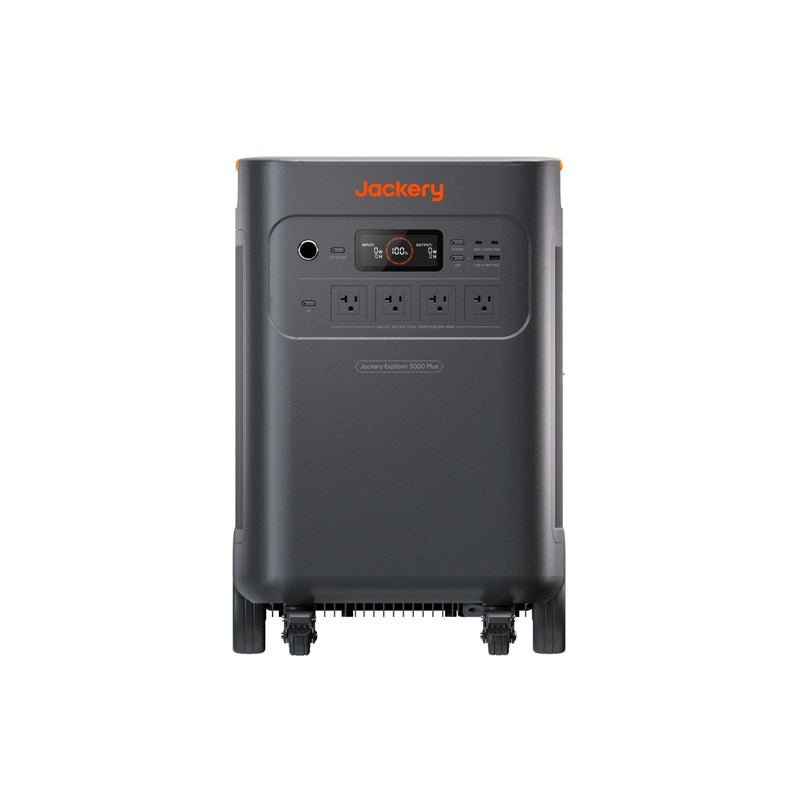
Jackery Explorer 5000 Plus
Checked October 12, 2026: Jackery’s affiliate promotion lists JADEAL for 15% off eligible US orders, excluding Jackery 240, accessories and refurbished products. Applicability to this exact configuration and stacking with current sale prices are unconfirmed. No reliable end date is available. This code has not been tested at checkout; confirm the final terms and total in Jackery’s store.
Compare the exact US Explorer 5000 Plus configuration in the Jackery store. Kits and expansion packages can change what is included. Check the store for the current price, package contents and shipping terms.
The practical decision
Plan from your chosen charge window, then leave room for uncertainty. The 15–85% example represents 70% of nominal battery capacity before conversion and other losses. That distinction is more useful than a headline capacity when deciding whether this base unit fits your actual load and recharge schedule.