Jackery Explorer 100 Plus: USB-C Laptop Backup Limits
VibePicks may earn a commission if you buy through links on this page, at no extra cost to you.
Check the laptop connection before the battery size
The Explorer 100 Plus suits USB-powered devices, but it cannot run a laptop through its AC charger. Check that your laptop accepts USB-C Power Delivery, then compare its required power with the port limit.
This is a document-based buying guide for the US JE-100A, not a hands-on runtime test. A compact battery can bridge a short working session; it is a different purchase from an AC power station.
Jackery’s US listing currently shows Sold Out. Check the store for changes before planning a purchase. A discount does not guarantee stock; no price is quoted here.
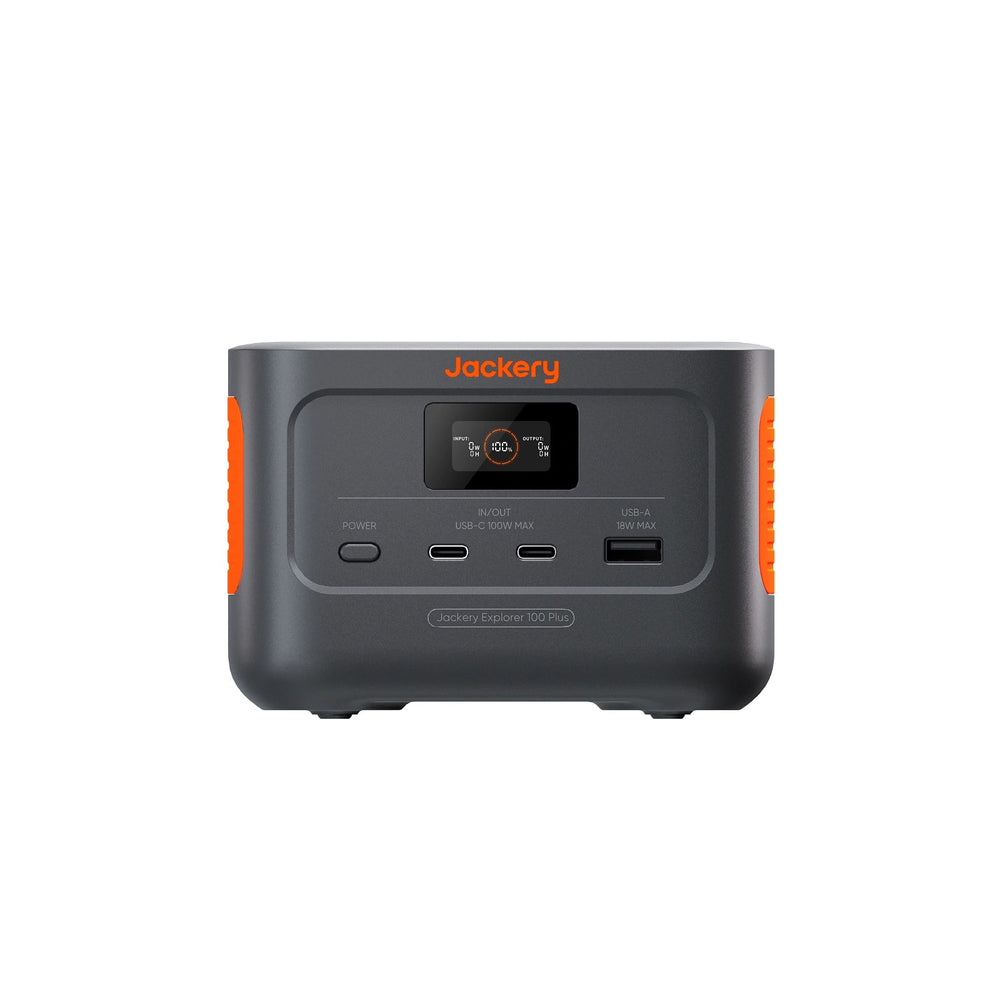
US model JE-100A
A USB-only option to evaluate for short laptop and phone sessions. Currently listed as sold out in the US store.
The numbers that matter
| Battery capacity | 99.2 Wh |
| Battery chemistry | LiFePO4 |
| USB-C output per port | 100 W max. |
| USB-A output | 18 W max. |
| AC outlets | 0 |
| Weight | About 965 g |
These specifications come from Jackery’s JE-100A technical information. The maximum port rating is a ceiling, not a promise that any connected laptop will draw that power.
Three checks for a USB-C laptop
Start with the laptop manual. A USB-C socket might handle data or video without accepting charge. Find the supported charging input and compare it with the charger you normally use. If a computer requires a proprietary barrel plug, this battery’s USB ports do not replace that charger.
Next, check the cable’s rated power and the supported Power Delivery profiles at both ends. A connector that fits is only the first check. A weak cable or incompatible power negotiation can leave the laptop charging slowly, displaying a warning, or consuming its own battery while connected.
Finally, budget for the work you actually do. A charger’s label gives its rated output, while the laptop’s draw changes with workload. Video calls, screen brightness, graphics work and charging an empty internal battery can change the load. Our phone-versus-laptop charging guide explains why these use cases need different power budgets.
Capacity tells you energy; watts tell you the load
The product’s name can make 100 W and roughly 100 Wh sound interchangeable. They answer different questions. Power measures how quickly a device uses energy. Capacity measures the battery’s stored energy. Neither figure alone gives a verified working duration.
For a planning example only, assume 80% of the nominal 99.2 Wh reaches the connected load. That leaves 79.36 Wh. Divide by a constant device load to get the estimates below. The 80% factor is an illustrative allowance, not a measured efficiency for this product.
| Assumed constant load | Illustrative time |
|---|---|
| 20 W | 3.97 hours |
| 40 W | 1.98 hours |
| 60 W | 1.32 hours |
Actual results can differ because of temperature, battery condition, conversion losses, the laptop’s changing demand and energy retained in the power bank. This calculation also excludes power spent on a second device. If uninterrupted work matters, measure a representative session before relying on a travel setup. Use our runtime test log to record load, starting charge and the actual result.
Choose by the job, not the model name
- Short USB-only session
Consider this size when the connection is supported and the energy budget leaves a useful margin.
- AC equipment
Choose a station with the right AC output instead. This model has no AC outlet or car-socket output.
- More demanding work
For several hours of high load, compare a larger energy budget rather than assuming that a 100 W port means all-day power.
Promotions and the store check
Listed US offer: 15% off, excluding Jackery 240, accessories and refurbished products. Checked October 9, 2026. This model is sold out; SKU eligibility and stacking are unconfirmed, and redemption has not been tested. The end date is unconfirmed. Do not assume this code guarantees stock or a saving on this model.
Check the Explorer 100 Plus page in Jackery’s store for current stock and applicable terms.
A short-session tool with a clear connection limit
The useful question is whether your laptop can charge from the supported USB-C output and whether its energy demand fits a modest battery. If either answer is uncertain, resolve that first. If you need AC equipment or a longer session, compare a larger station with the appropriate output rather than buying on port wattage alone.