Jackery Explorer 500 v2 USB-C: 100W vs 30W for a Laptop
VibePicks may earn a commission if you buy through links on this page, at no extra cost to you.
Start with the higher-power USB-C port
For a laptop that accepts USB-C charging, start with the Explorer 500 v2’s 100W USB-C output. Its other USB-C port tops out at 30W. Those are different ceilings, and neither promises that your laptop will draw the full amount.
This is a document-based guide to the US JE-500A model, not a hands-on charging test. Check your laptop’s own charging requirements before buying a power station or cable.
The USB limits to keep separate
These specifications come from Jackery’s Explorer 500 v2 technical information, updated August 19, 2026. The original Explorer 500 is a different product; do not transfer its port specifications to the v2.
Read the laptop requirement before choosing a port
Find the charging section of your laptop manual and the output label on its supplied adapter. Establish whether the laptop accepts power over USB-C at all. A USB-C connector used for data or display does not, by itself, establish charging compatibility. If the manufacturer specifies a particular port, use that port.
Next, compare the recommended input with the power station’s output ceiling. A laptop normally supplied with a 65W adapter has a different starting requirement from one supplied with a 140W adapter. The 100W port gives the former more headroom than the 30W port, but this comparison is a screening check, not proof of an exact charging rate. Follow the laptop manufacturer’s requirements for the power source and cable.
Why a charging icon is not the whole answer
A computer can show that external power is connected while its battery still loses charge during demanding work. Its consumption changes with the workload, display settings and attached accessories. A low-power connection may behave acceptably while the computer sleeps yet fail to keep up during the task you actually need to complete.
Before relying on the setup for a trip, try your normal work and watch the laptop battery percentage over a meaningful interval. Record which station port and cable you used. If charge falls, investigate the laptop’s requirements and connection rather than treating the charging icon as a successful endurance test. Our power station runtime log helps separate an observation from an assumption.
The Explorer 500 v2 cannot be recharged through its USB-C ports. Do not buy it expecting a laptop USB-C charger to refill the station. Use the charging methods specified by Jackery.
Keep watts and watt-hours on different lines
The port rating describes a power limit. Battery watt-hours describe stored energy. Dividing the nameplate capacity by a laptop adapter’s printed wattage does not establish real runtime: the adapter label is not a measurement of the computer’s continuous consumption, and the entire rated battery energy will not necessarily reach the laptop.
For an initial worksheet, record your actual workload, hours required and measured consumption if available. Keep a reserve for changes in workload and charging losses without presenting an assumed percentage as a measured efficiency. If your requirement is a short laptop session, compare that need with a smaller USB battery solution; if it includes other devices, make a separate budget for each. See our multi-device backup planning guide for that wider decision.
Check the bundle rather than buying unused extras
The listing below is an Explorer 500 v2 bundle with a SolarSaga 100W Air panel, sold on eBay by Best Outdoor Prodcuts. On October 18, the listing showed New condition, Buy It Now, three available and shipping to the United States, excluding Alaska/Hawaii, PO boxes and APO/FPO. The seller showed 99.5% positive feedback and no returns. Confirm the current listing terms for your destination; this is not a blanket endorsement of the seller.
No eligible coupon was verified for this listing. The panel is an additional purchase consideration, not a requirement for USB-C laptop output. If you only need indoor laptop backup, compare the bundle with a station-only option before paying for solar equipment you will not use.
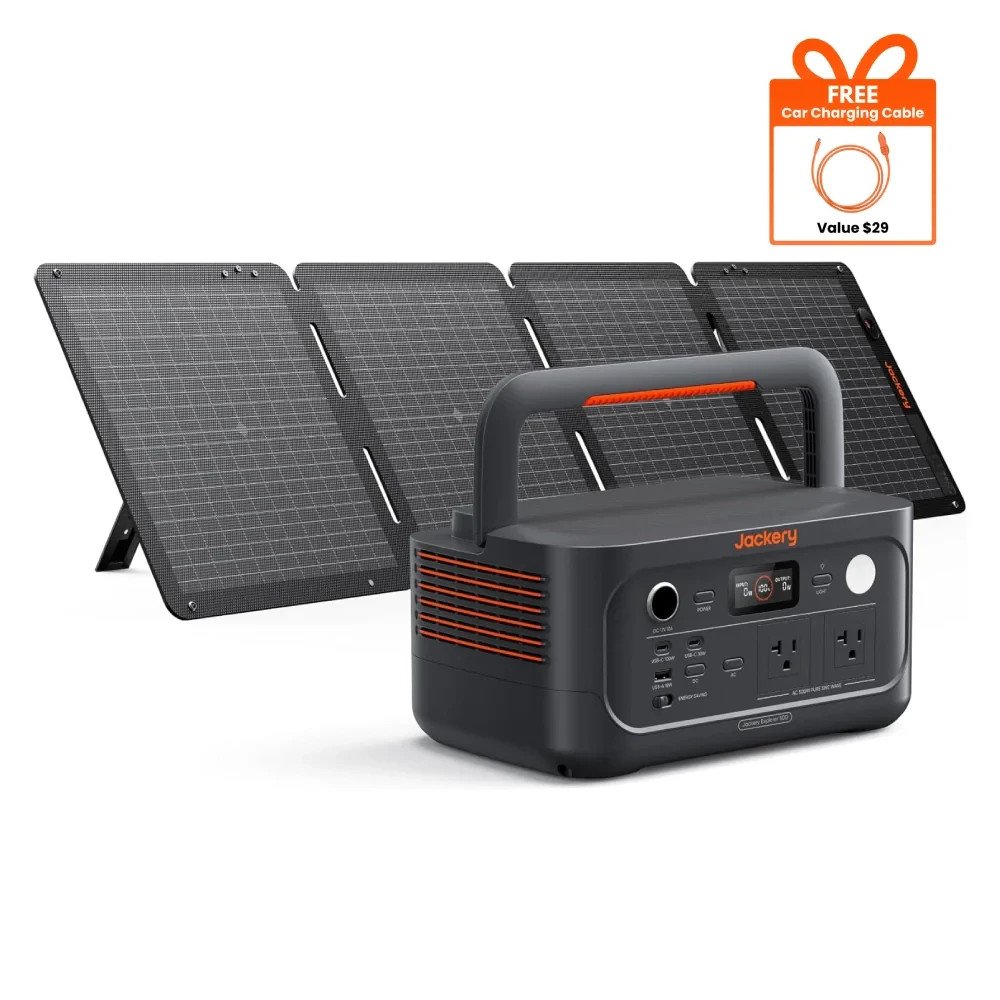
Check the exact bundle contents, seller conditions and current US delivery exclusions before buying.
Choose the port, then verify the result
Use the 100W port as the starting point for a compatible laptop, keep the 30W ceiling in mind for the second port, and verify the cable and laptop requirements. A short trial under your normal workload is more useful than assuming a maximum port rating guarantees charging speed or runtime.