LiTime Group24 Bluetooth: First Charge and SOC Checks
For the LiTime Group24 Smart Bluetooth battery, start with the documented first charge before treating an app connection or battery-percentage reading as a fault. LiTime says that first charging switches the battery on and enables Bluetooth. Its product FAQ also says the initial state-of-charge display can remain at 99% for several hours before reaching 100%.
This guide covers the 12.8V 100Ah Group24 Smart Bluetooth model without self-heating, using the manufacturer’s documentation rather than hands-on testing. The aim is to separate a first-use check from a diagnosis. A percentage alone does not establish battery health or explain every charging problem.
VibePicks may earn a commission if you buy through links on this page, at no extra cost to you.
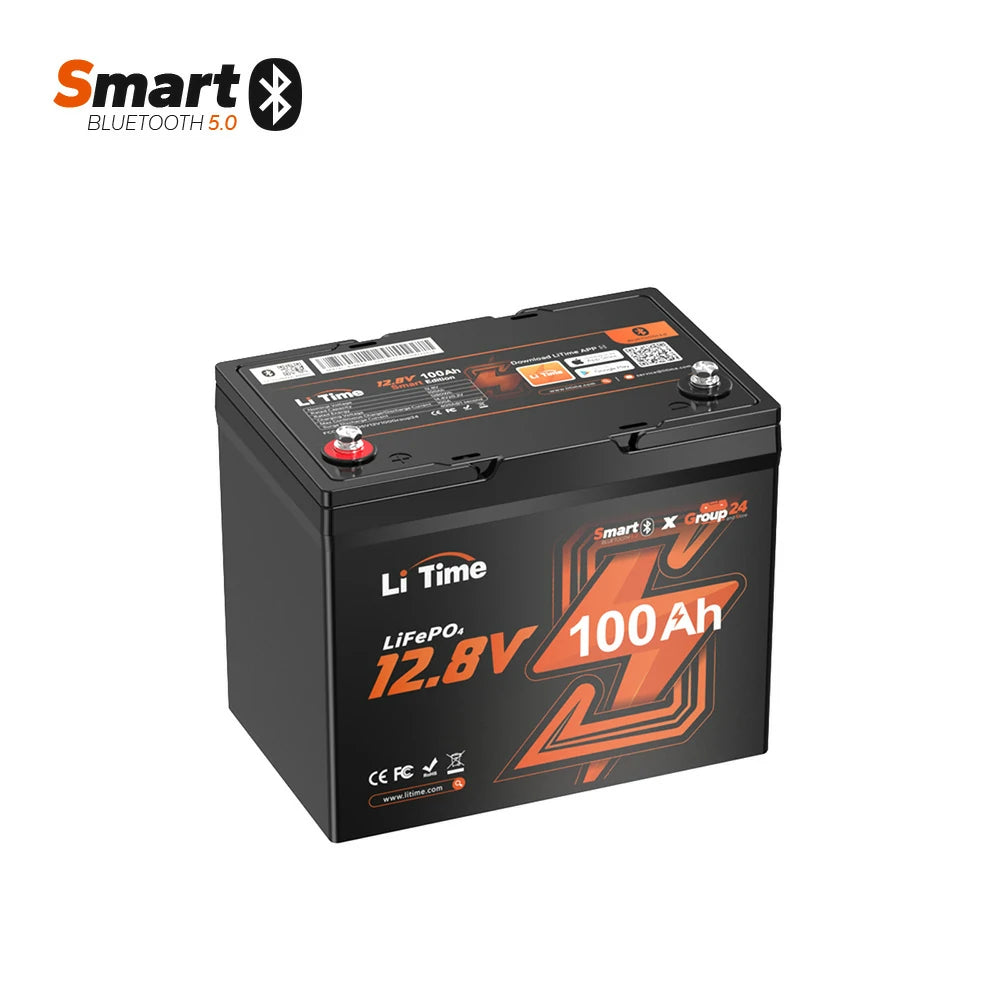
The 100Ah Bluetooth model without self-heating. Confirm its exact charging requirements and delivery terms before buying.
Match the battery and charger first
The official Group24 Smart user manual specifies a LiFePO4 charging profile with the following limits. Match the label and manual supplied with your unit; a shared “12V” description does not settle compatibility.
Documented charging checks for this model
Read the charger’s output specification, supported chemistry and instructions alongside the battery manual. If the proposed combination is unclear, resolve it with the manufacturer before using it. Our LiTime 20A charger and recharge-time guide explains the planning arithmetic; an estimated duration does not confirm a completed charge.
Make a useful first-charge record
- Confirm that the case label and manual identify the Smart Bluetooth Group24 model. Keep the charger model and output specification in the same record.
- Follow the exact battery and charger instructions for operation. Record the starting time, battery temperature, app percentage and charger indication when available.
- Keep observations tied to the same battery. Note whether readings were taken during charging, under a load or after resting; these are different conditions.
- Use the manufacturer’s completion indication and instructions. An app percentage is one observation, not permission to leave a charging setup unattended or override a warning.
A short log is more useful than a screenshot with no context. For example, “99% while the charger still indicates charging” describes a different situation from “99% after the charger reports completion.” Those examples are hypothetical observations, not test results or a diagnosis of your battery.
What a lingering 99% does—and does not—tell you
LiTime’s first-charge FAQ gives a reason not to assume that a slow final percentage update is automatically a defect. It does not establish that every stalled reading is normal, promise a deadline, or prove the charger is compatible. Do not force a 100% display by improvising resets, bypassing protection or changing charging limits outside the manual.
Voltage needs context too. The manual treats resting voltage as a rough state-of-charge reference and distinguishes it from readings during charging or discharge. A single live voltage reading and a percentage should not be treated as interchangeable measurements of usable energy.
If indications conflict or a warning appears, follow the documented fault guidance and ask LiTime about the exact battery-and-charger combination. Include the conditions and timing in your message. The general recording approach in our app monitoring checklist is useful here, although its power-station controls do not replace this battery’s manual.
The manual says charging protection stops charging below 0°C and resumes above 5°C battery temperature. This is the non-heating Bluetooth model. Do not bypass protection or transfer instructions from the self-heating version.
Use the checks before planning a trip
Confirm first-use operation while you have time to resolve questions. Keep model identification, charger requirements and observed indications together. A full-looking app display does not guarantee a particular appliance runtime; build that energy budget separately.
Sources and store check: the LiTime US product page and first-charge FAQ and the manual linked above were checked on October 14, 2026. The single-battery listing offered purchasing, with delivery limited to the continental US. No eligible public coupon was established; this guide quotes no price or promised saving.