Jackery Explorer 1000 v2 Storage: A Charge-Check Plan
VibePicks may earn a commission if you buy through links on this page, at no extra cost to you.
Before storing a Jackery Explorer 1000 v2, check its charge, choose a suitable indoor location and put the next check on your calendar. A unit packed away after a trip should not disappear from your maintenance routine until the next camping season.
This guide covers the black US Explorer 1000 v2, model JE-1000D. It uses Jackery’s current manual and support information; we have not performed a storage or battery-aging test. The Explorer 1000 Pro, 1000 Plus and HomePower 1000 v2 are different products.
Separate storage temperature from charging temperature
Jackery’s model-specific support table changes the storage range with the length of time involved. For a long seasonal break, plan around the longer-duration limit instead of treating the one-month range as a year-round allowance.
Manufacturer-listed temperature ranges
These are published limits, not a recommendation to aim for either extreme. A garage that feels comfortable today may be much colder or hotter later. Consider the whole storage period when choosing the location. The charging range is a separate check whenever you bring the station back into use.
The manual calls for a clean, dry environment, protection from direct sunlight and storage upright. It also rules out moisture-exposed storage. A protective bag does not make an unsuitable location appropriate.
Do not put it away depleted
The US manual warns that storing the unit depleted for three to six months can damage performance or leave it unable to charge. Its battery-cell warranty conditions also specify a full charge within seven days of purchase and at least once every six months afterward. Read the terms supplied with your unit and ask Jackery to clarify any conflicting guidance.
The six-month charging condition does not promise that every stored unit will retain enough charge until then. Check the actual unit and its environment, and do not treat a reminder as a substitute for the manual.
Jackery’s support page lists roughly 1%–3% monthly self-discharge. That is a manufacturer estimate, not our measurement or a countdown you can safely subtract from a starting percentage. It should not be used to justify leaving a nearly empty station unchecked.
Make a storage note you can actually use
A useful note answers four questions: which unit is this, when was it last charged, what did its display show, and when will someone check it again? Record the model number as well as the product name so another household member can find the correct instructions.
For example, after an October trip you could record the date and displayed charge, then set a January reminder to inspect the unit and review its charge. January is an illustrative early checkpoint, not a manufacturer-required interval. Record what you observe and the next action; do not simply dismiss the notification.
Keep the charging cable and manual easy to find. Before use, inspect the station and cable. Damage, unusual odor, overheating or other abnormal behavior calls for stopping use and contacting support, not opening the battery enclosure.
For a wider owner checklist, see our backup-battery maintenance guide. When preparing the next trip, use the separate Explorer 1000 v2 camping energy budget to plan loads; storage checks do not establish runtime.
Check the exact model if you are buying
The card below points to the black Explorer 1000 v2 with its AC charging cable at Jackery’s US store. The listing was available when checked on October 17, 2026. The shipping policy covers the contiguous United States and excludes Alaska, Hawaii, Puerto Rico, the US Virgin Islands and PO/APO/FPO/DPO addresses. Confirm your destination before ordering.
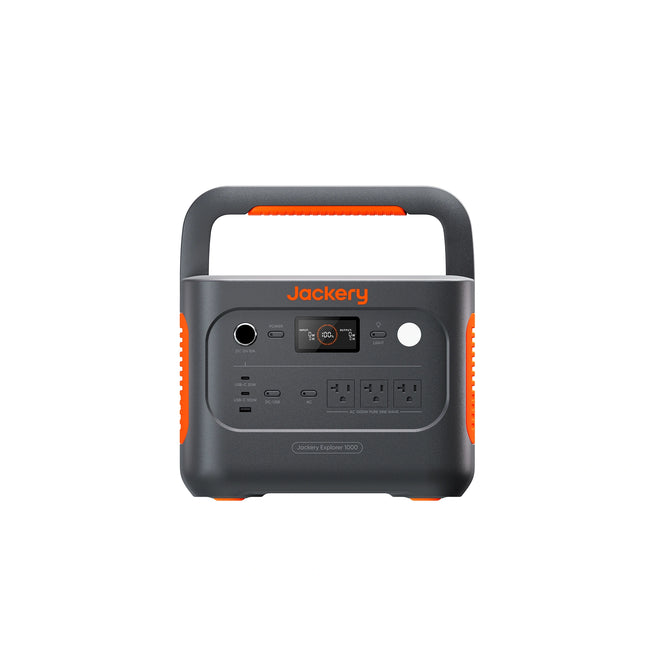
No coupon or saving is promised here. Confirm the selected configuration, current price and purchase terms at the store. If you already own this model, the practical next step is to make the storage note and schedule the next check.
Primary sources: Jackery’s US JE-1000D user manual (safety, storage and warranty sections) and Explorer 1000 v2 support specifications (updated August 20, 2026). Sources checked October 17, 2026.